Configure prerequisites for Cisco ISE quick configuration
Configure the necessary ISE settings to enable quick configuration functionality through API services and certificate authority features.
As an ISE administrator, you must configure specific API and certificate authority settings to ensure ISE quick configuration works properly.
Before you begin
You must have ISE administrator privileges.
Follow these steps to configure prerequisites for Cisco ISE quick configuration:
Procedure
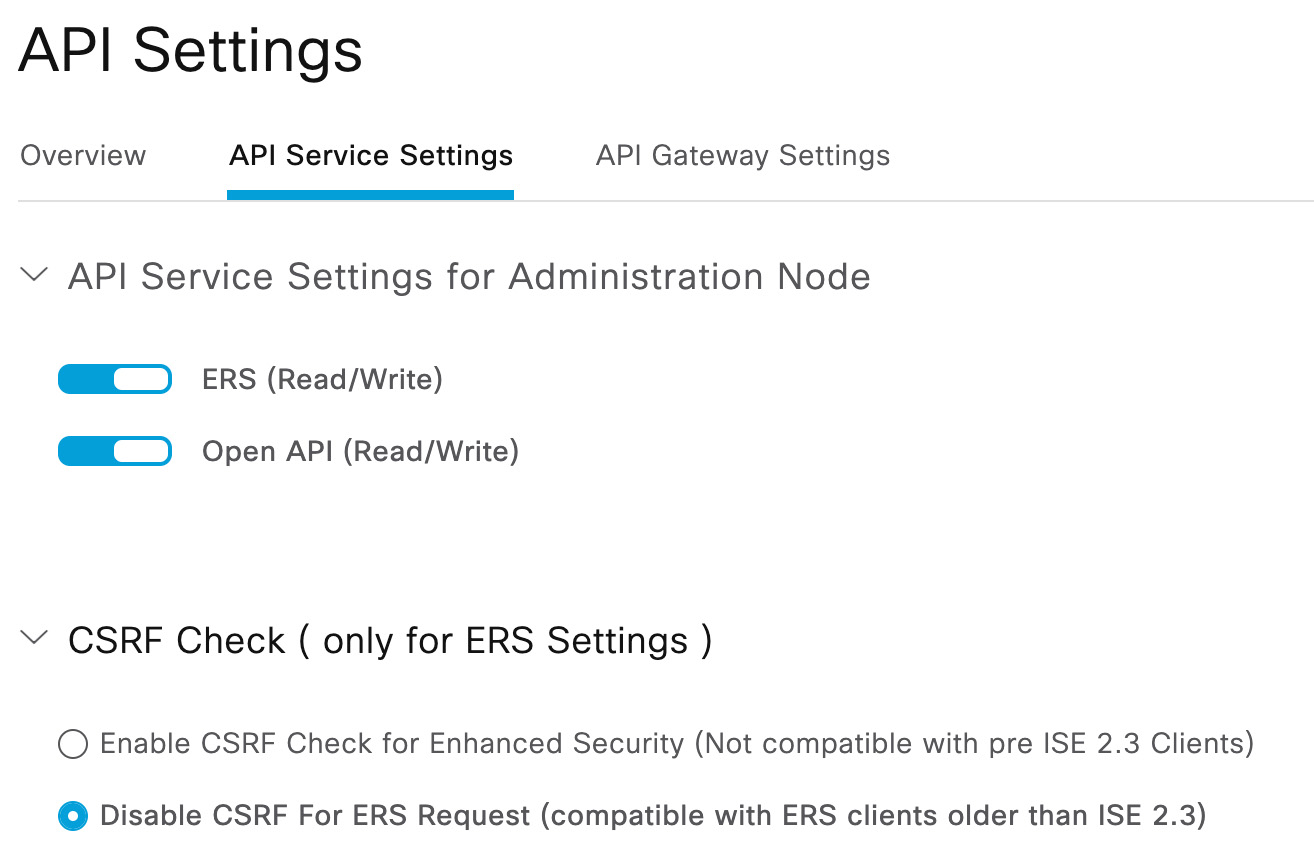
Step 1 | Enable External RESTful Services (ERS) (read/write), Open API (read/write), and disable the Cross-Site Request Forgery (CSRF) check. Go to For more information, see Enable API Service in the Identity Services Engine administrator guides. The following figure shows an example.
|
Step 2 | Slide ERS (Read/Write) to Enabled. |
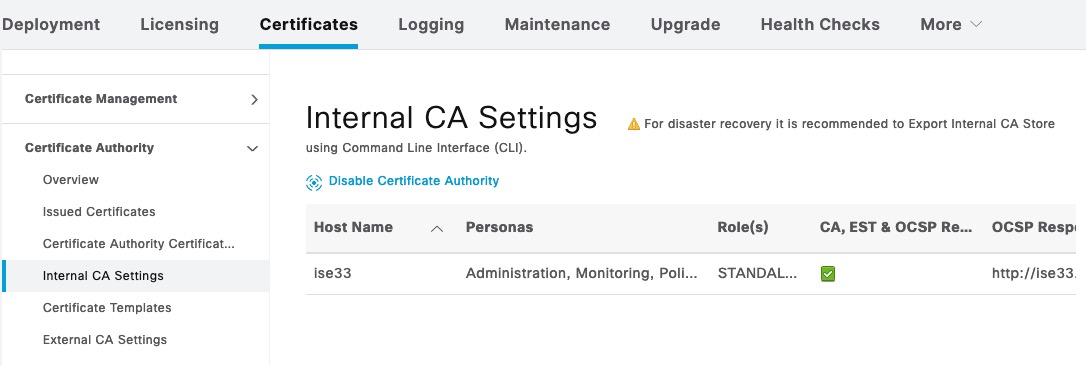
Step 3 | Enable the certificate authority. Go to For more information, see Internal CA Settings in the Identity Services Engine administrator guides. The following figure shows an example.
|

ISE quick configuration is now enabled with the proper API services and certificate authority settings configured.