View Configuration of Catalyst SD-WAN Devices

Security Cloud Control Firewall Management provides the ability to view the device configuration of your onboarded devices on the Security Devices page.

Procedure


Step 1

Choose Manage > Security Devices in the navigation pane.

Step 2

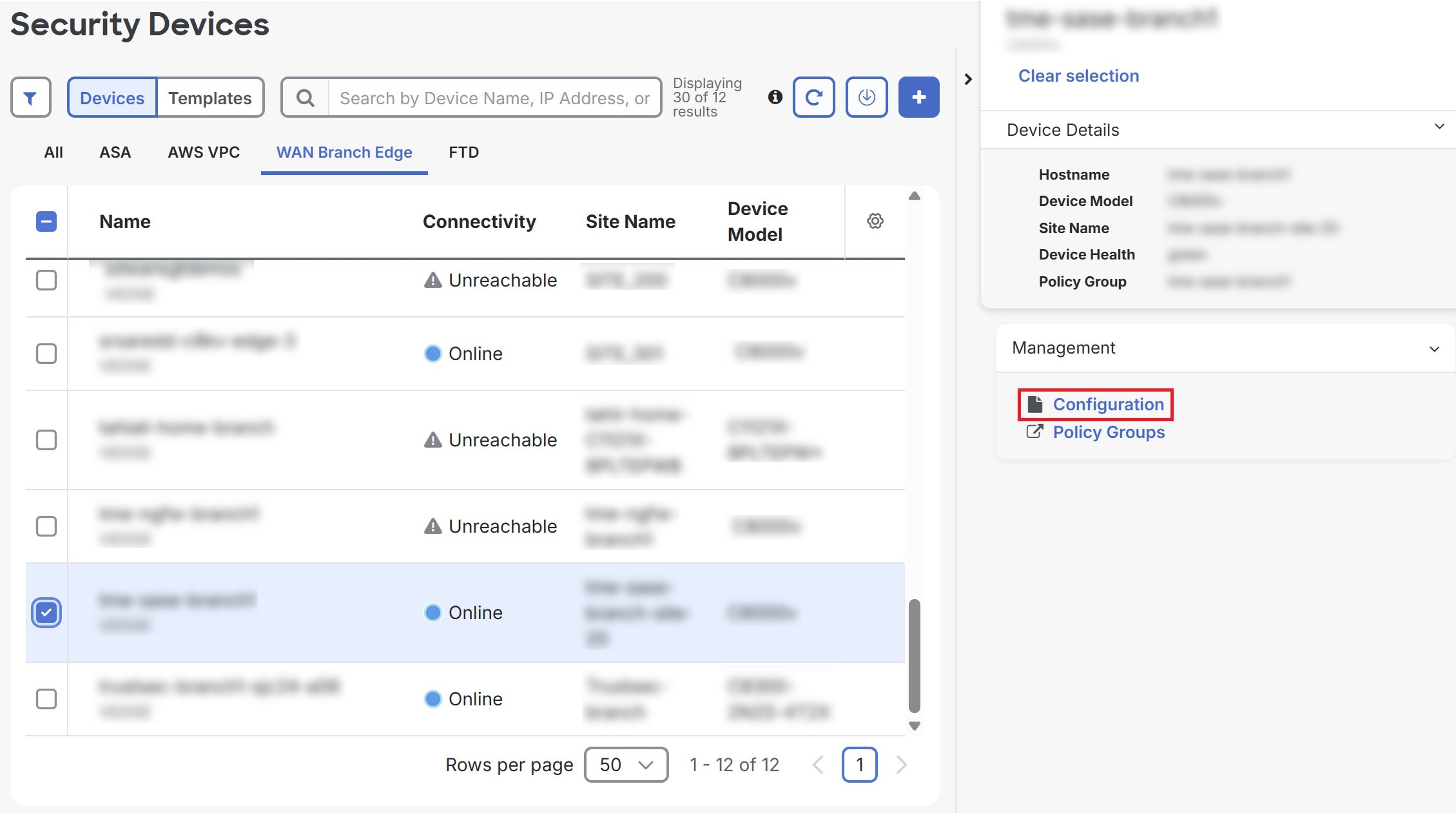
Click the WAN Branch Edge tab.

Step 3

Select a device and click Configuration under Management.

Screenshot of the Security Devices page showing the Configuration in the right window.

Step 4

To export the list of devices as a CSV file, click the export icon ().