Remove an On-Premises Firewall Management Center from Security Cloud Control
This task removes an On-Premises Firewall Management Center and all its managed devices from your Security Cloud Control tenant to clean up your device inventory.
If you remove an On-Premises Firewall Management Center from Security Cloud Control, all devices managed by that On-Premises Firewall Management Center will also be removed.
Before you begin
To remove one or more On-Premises Firewall Management Centers that were onboarded using auto-onboarding, first disable the auto-onboarding option.
-
Choose .
-
In the Tenant Settings section, disable Auto onboard On-Prem FMCs integrated to Cisco Security Cloud.

Procedure
Step 1 | Choose . |
Step 2 | Click the FMC tab. |
Step 3 | Choose the On-Premises Firewall Management Center you want to remove. |
Step 4 | In the Device Actions pane, click Remove On-Prem FMC and its managed devices. 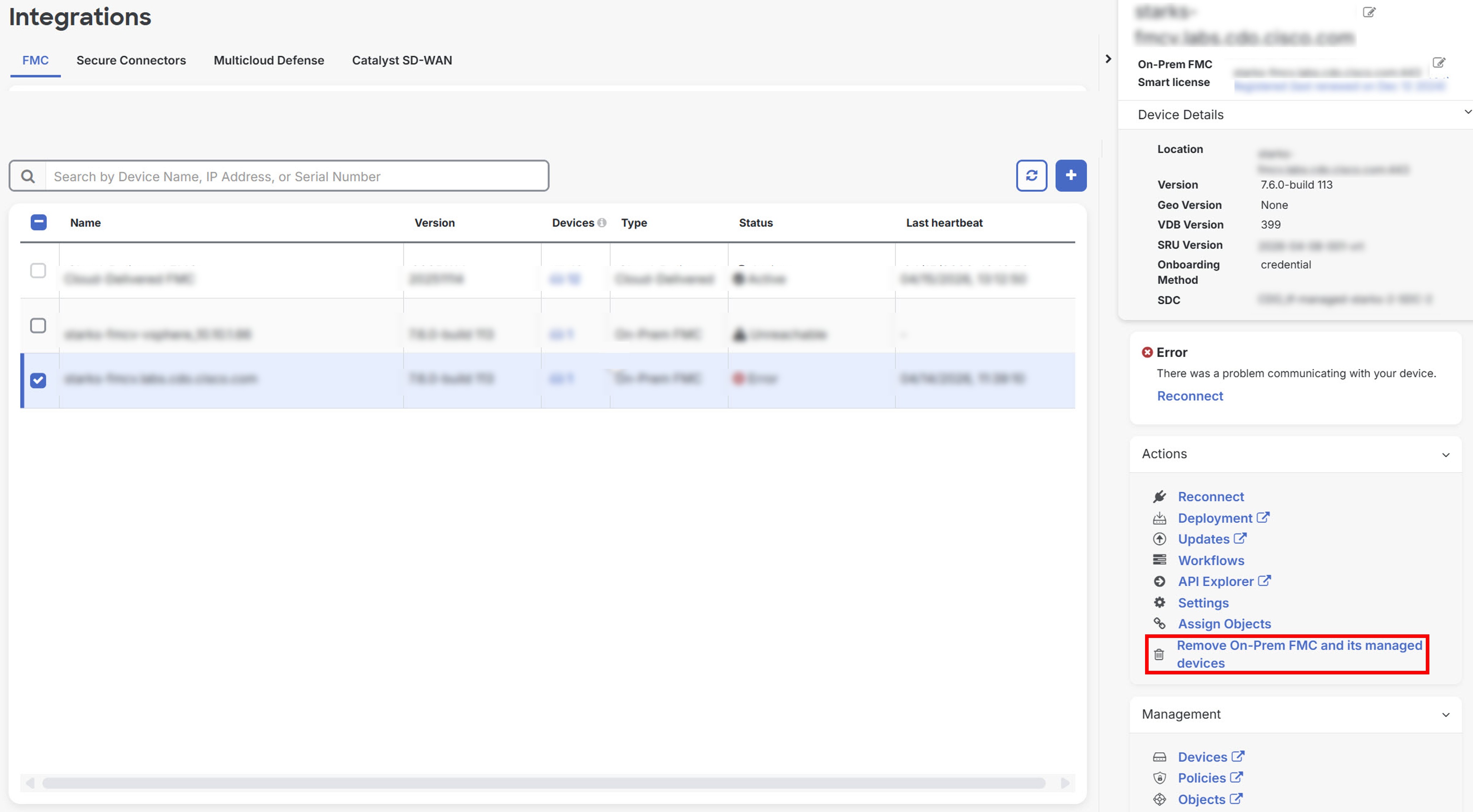
|
Step 5 | Click OK to confirm that you want to remove On-Premises Firewall Management Center and its managed devices from your tenant. |
Step 6 | Refresh your browser to see an updated list of devices. |
The On-Premises Firewall Management Center and all its managed devices are removed from your Security Cloud Control inventory.