How ASA events are displayed in Security Cloud Control
Summary
The key components involved in displaying ASA events in Security Cloud Control are:
-
ASA devices: Generate and forward syslog and NSEL events when logging is enabled and network traffic matches access control rule criteria
-
Secure Event Connectors: Receive events from ASA devices and forward them to Security Services Exchange
-
Security Services Exchange: Aggregates event data from all devices, converts it to JSON format, and sends it for storage
-
Security Analytics and Logging: Processes and enriches event data for use by Security Cloud Control
-
Security Cloud Control: Stores event data and provides SOC analysts with relevant information
Workflow
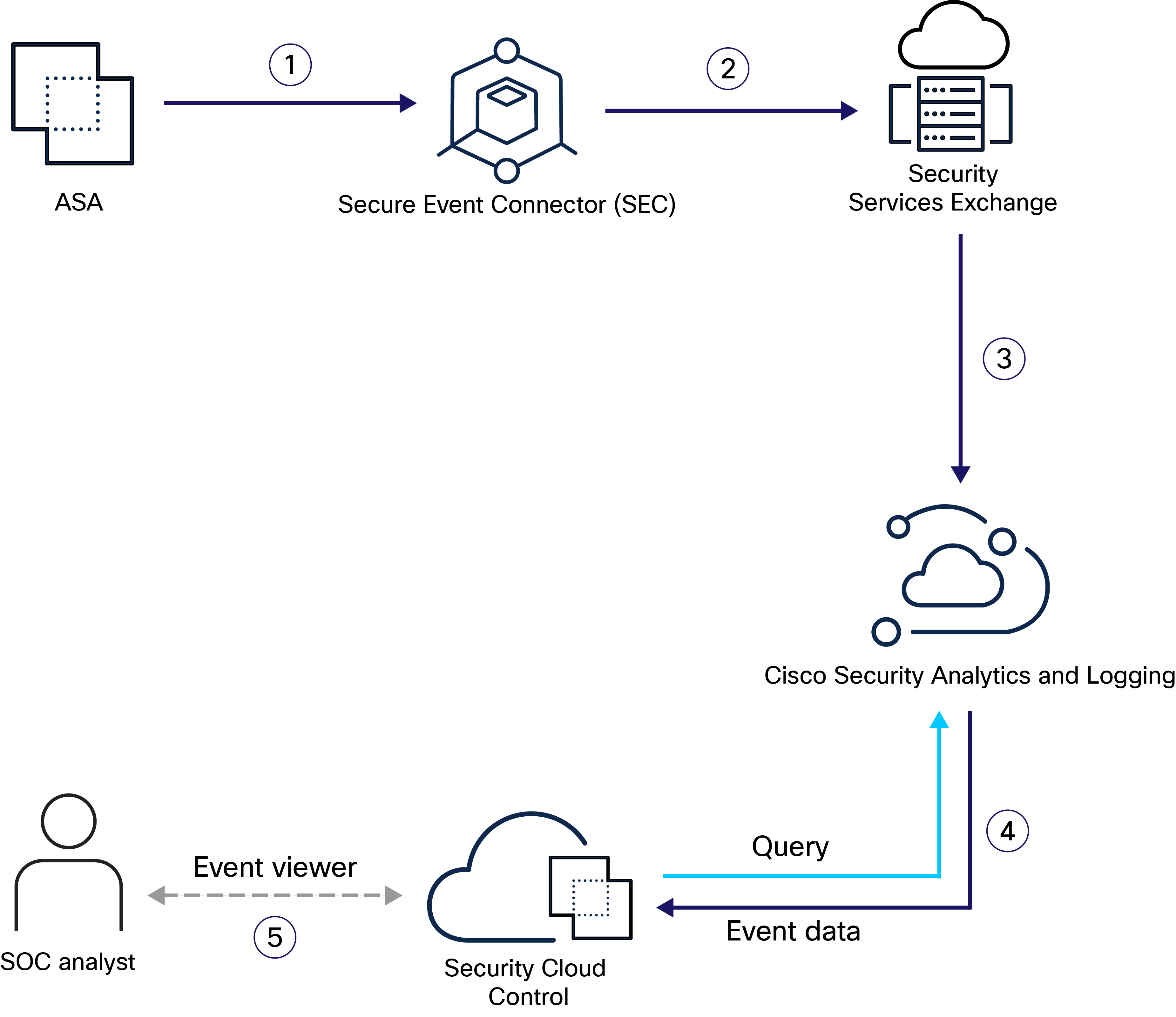
These stages describe how ASA events are processed and displayed in Security Cloud Control:
- You configure the ASA to forward syslog and NSEL events to any one of your Secure Event Connectors as if they were syslog servers and enable logging on the device. Syslog events and NSEL events are generated when logging is enabled on the ASA, and network traffic matches access control rule criteria. The ASA device forwards the syslog and NSEL events to the configured Secure Event Connector.
- The Secure Event Connector forwards the events to Security Services Exchange.
- Security Services Exchange aggregates the event data from all the ASA devices, converts it to JSON format, and sends it to Security Analytics and Logging for storage.
- Security Analytics and Logging process the event data using various services to classify and enrich it for use by the Security Cloud Control.
- Security Cloud Control stores the event data in the cloud data store. Security Cloud Control queries the stored data to provide SOC analysts with the relevant information.