How health monitoring works
Summary
Health monitoring in Cloud-Delivered Firewall Management Center enables you to track appliance health using policies, modules, metrics, events, and notifications, providing visibility and automated alerting for network conditions.
Workflow
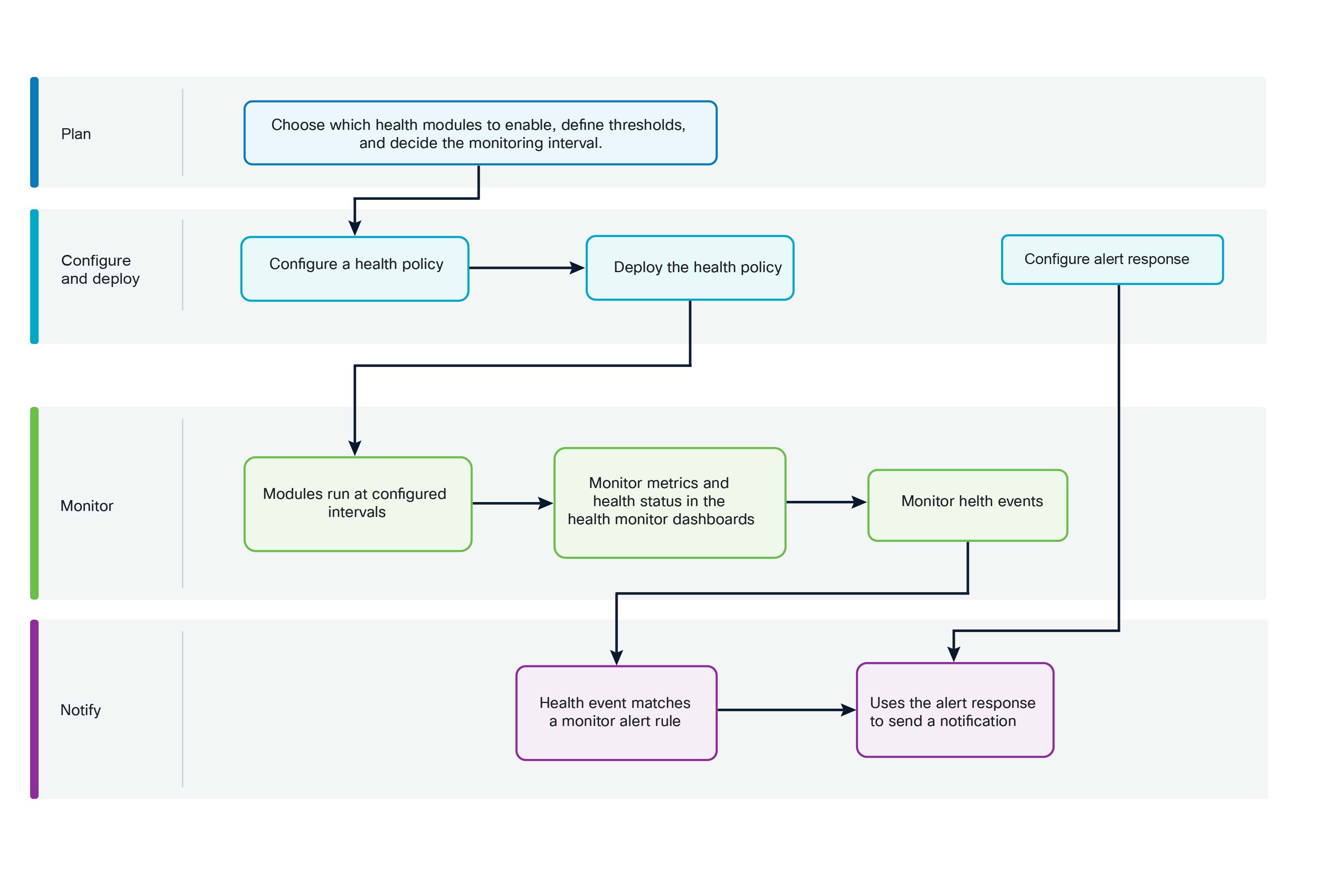
These stages describe how health monitoring information flows from policy configuration to monitoring and notification.
- Choose the health modules that provide the health metrics and alerts required for your monitoring goal. Check that each module supports your appliance type and review its configuration requirements, dependencies, and available thresholds. For more information, refer to Health modules.
- Create or modify a health policy. Enable the selected health modules and configure their settings, run intervals, and thresholds where needed. For more information, refer to Health policies.
- Deploy the health policy to the appropriate managed appliances. Monitoring begins after you successfully deploy the health policy.
- The enabled health modules run at the intervals configured in the health policy. A module can collect metric data, report a health alert, or perform both functions, depending on the module.
- Cloud-Delivered Firewall Management Center displays health statuses and metrics in the health monitor dashboards. Metric data supports analysis over time; it does not necessarily produce a health event for every collected value. For more information, refer to About the health monitor.
- When a module result meets the conditions configured for event generation, Cloud-Delivered Firewall Management Center logs a health event. Note that the health event logs the condition in Cloud-Delivered Firewall Management Center and does not, by itself, send an external notification.
- Cloud-Delivered Firewall Management Center evaluates the health event against configured health monitor alerts. When the event's module and severity match a health monitor alert, Cloud-Delivered Firewall Management Center invokes the alert response associated with that alert.
- The alert response delivers the notification to its configured destination, such as an email server or webhook endpoint.
Result
During operation, you can run all health modules, or a specific module, on demand to investigate a condition. You can also exclude appliances or health modules if you do not want them to generate health information.
Your health policy determines what Cloud-Delivered Firewall Management Center monitors and how often it evaluates the condition. The health monitor displays the results. The health event records a qualifying condition. The health monitor alert determines which conditions require notification, and the alert response determines how and where the notification is delivered.