Create an app instance
Create an app instance to enable pxGrid Cloud identity source functionality for sending user session data to the Cloud-Delivered Firewall Management Center.
This task is one of several tasks you must perform to create a pxGrid Cloud identity source to send user session data to the Cloud-Delivered Firewall Management Center.
There is a one-hour time limit on the one-time password (OTP) required to complete this procedure successfully. You do not need to log in to Cisco ISE.
Before you begin
Procedure
Step 1 | Log in to the Cisco Catalyst Cloud Portal. |
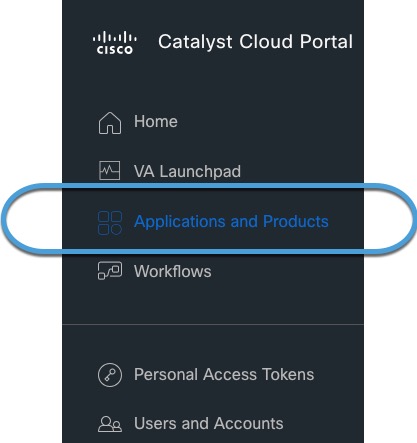
Step 2 | In the Catalyst Cloud Portal, click
|
Step 3 | At the top of the page, click Applications. |
Step 4 | From the Regions list, click us-west-2, eu-central-1, or ap-southeast-1. |
Step 5 | Click Manage (or Activate) next to Firepower Management Center. |
Step 6 | Click Add. |
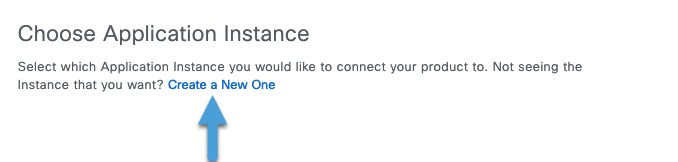
Step 7 | Click Create a New One. The following figure shows an example.
|
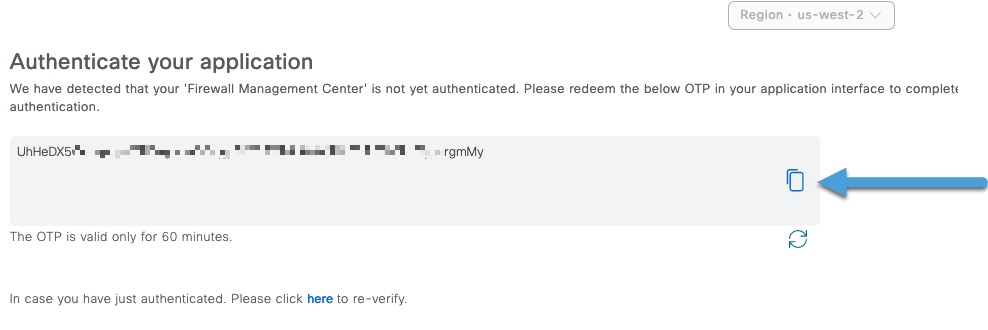
Step 8 | Click the copy button next to the displayed OTP.
Copy the OTP to a text file; it expires in 60 minutes. |
Step 9 | Continue with Create the identity source. |