Create the identity source
This task creates a pxGrid Cloud identity source to send user session data to the Cloud-Delivered Firewall Management Center.
This task is one of several required to create a pxGrid Cloud identity source to send user session data to the Cloud-Delivered Firewall Management Center.
Before you begin
Complete the task discussed in Create an app instance.
Procedure
Step 1 | Log in to Security Cloud Control as a user with the Super Admin role. | ||||||||
Step 2 | Click | ||||||||
Step 3 | Click Identity Services Engine (pxGrid Cloud). | ||||||||
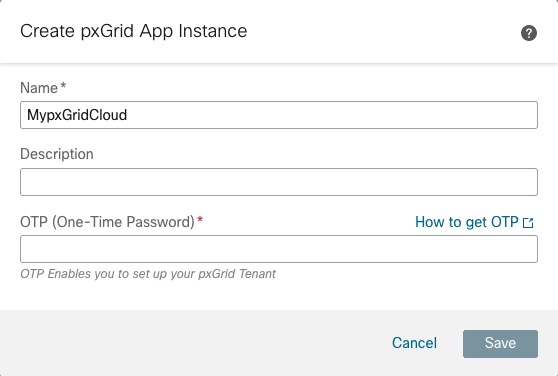
Step 4 | Click Create pxGrid Application Instance. This figure shows an example.
| ||||||||
Step 5 | Enter the required information.
| ||||||||
Step 6 | Click Create. | ||||||||
Step 7 | At the top of the page, click Save. |
What to do next
Continue with Activate the app instance.