View intrusion events
This task allows you to view MITRE ATT&CK techniques and rule groups associated with intrusion events, providing security context and attack pattern mapping for better threat analysis.
You can view the MITRE ATT&CK techniques and rule groups in the intrusion events on the Classic Event Viewer and Unified Event Viewer pages. Talos provides mappings from Snort rules (GID:SID) to MITRE ATT&CK techniques and rule groups. These mappings are installed as part of the Lightweight Security Package (LSP).
Procedure
Step 1 | Click Analysis and select Events under Intrusions. |
Step 2 | Click the Table View of Events tab. 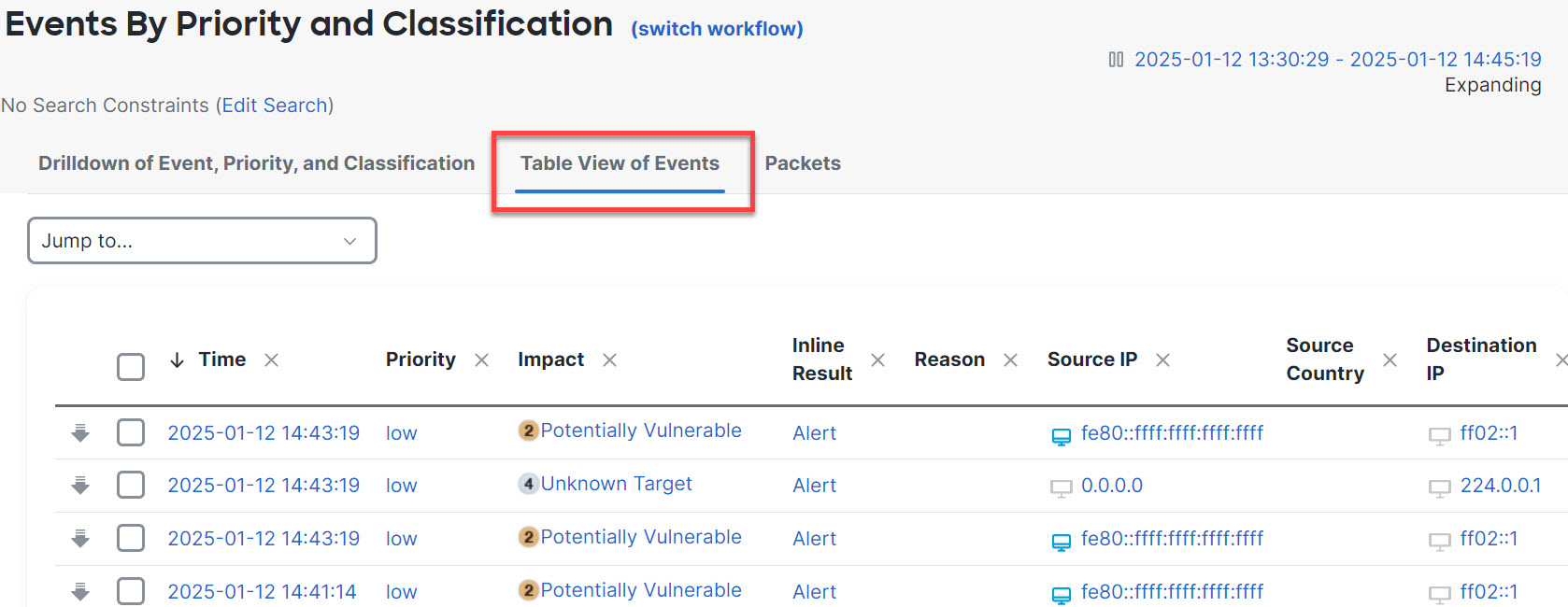
|
Step 3 | Under MITRE ATT&CK, you can see the techniques for an intrusion event. Click 1 Technique to view the MITRE ATT&CK techniques. 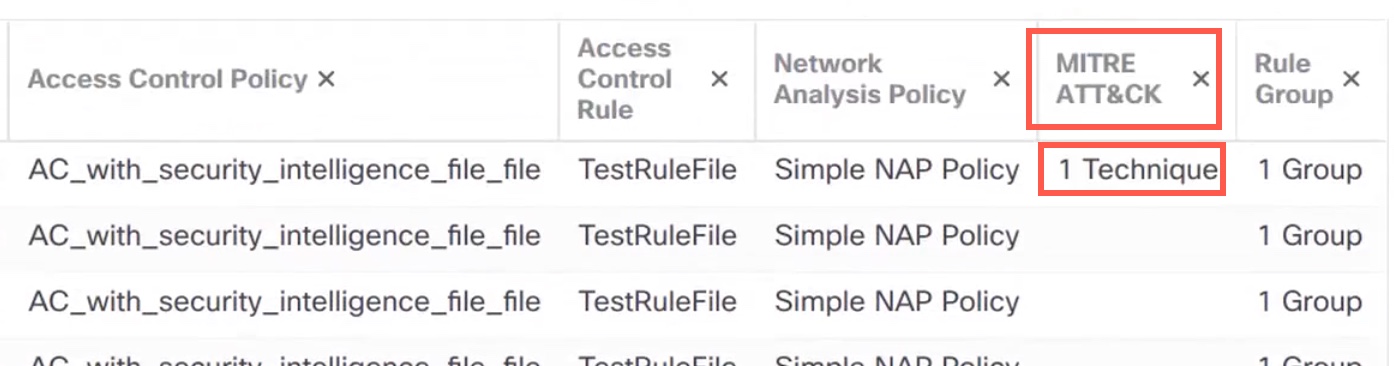
In this example, Exploit Public-Facing Application is the technique. 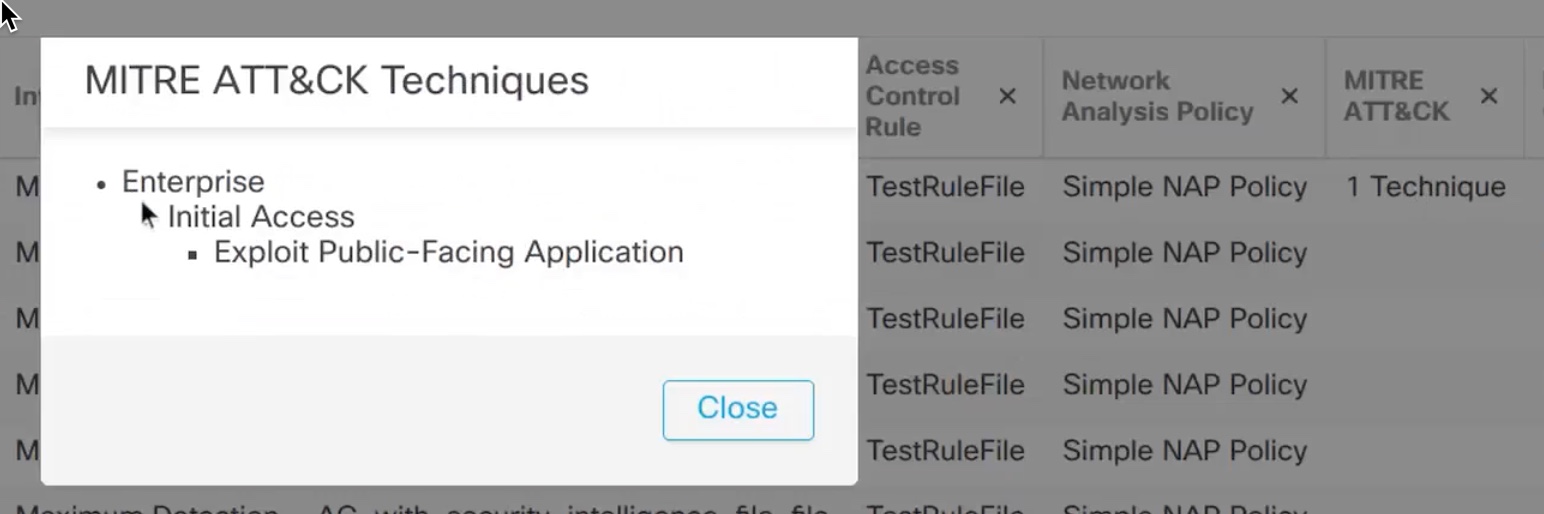
|
Step 4 | Click Close. |
Step 5 | Click Analysis and select Unified Events. |
Step 6 | If not enabled, click the column selector icon to enable the MITRE ATT&CK and Rule Group columns. 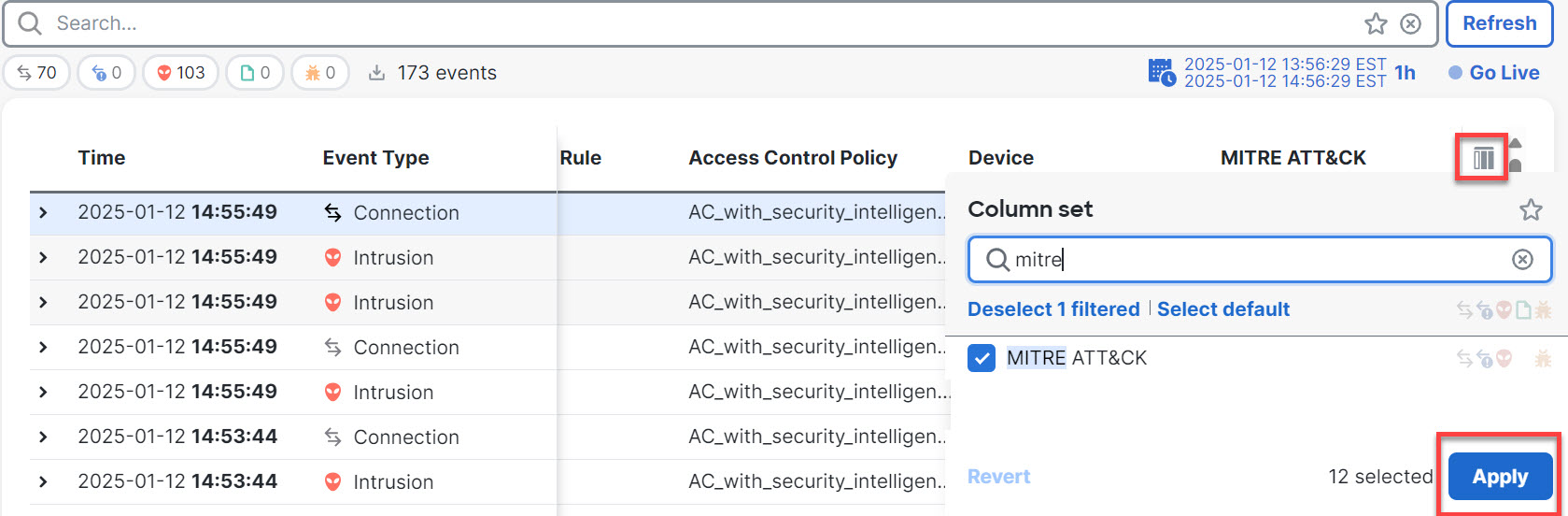
|
Step 7 | In this example, the intrusion event is triggered by an event that is mapped to one rule group. Click 1 Group under the Rule Group column. 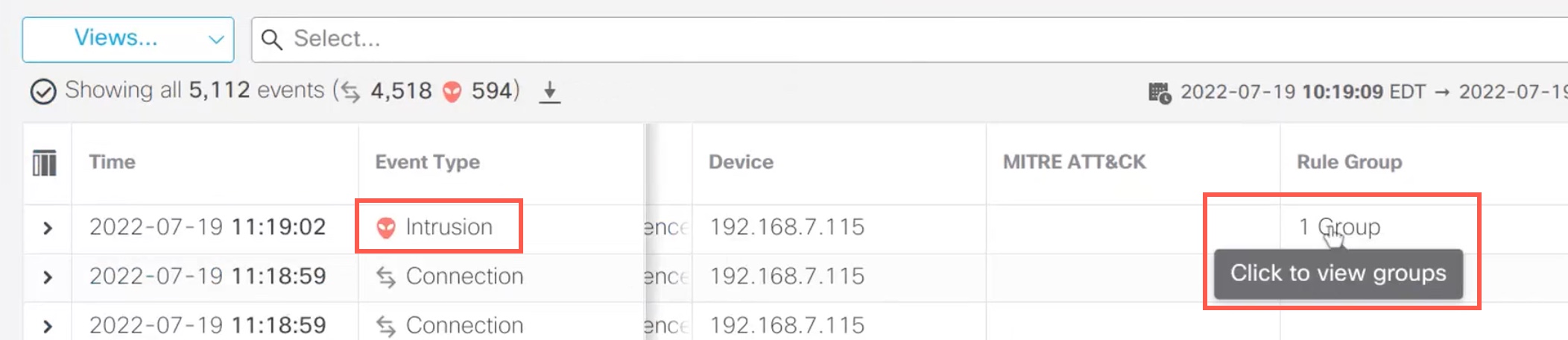
|
Step 8 | You can view Protocol, which is the parent rule group, and the DNS rule group under it. Choose to search for all the intrusion events that have at least one rule group. 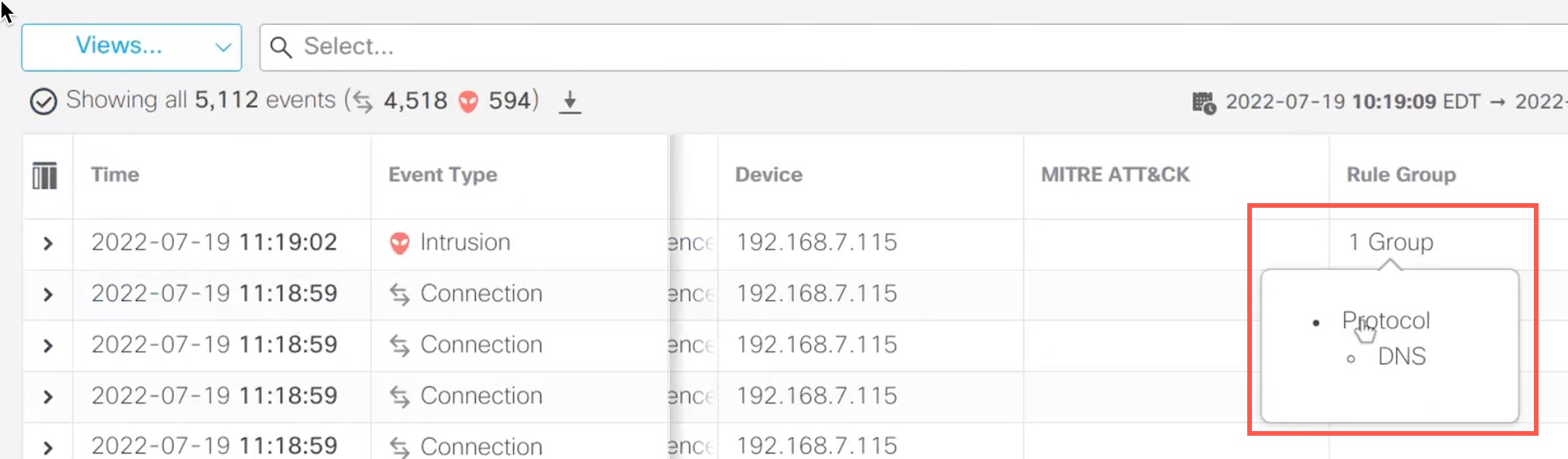
The search results are displayed. 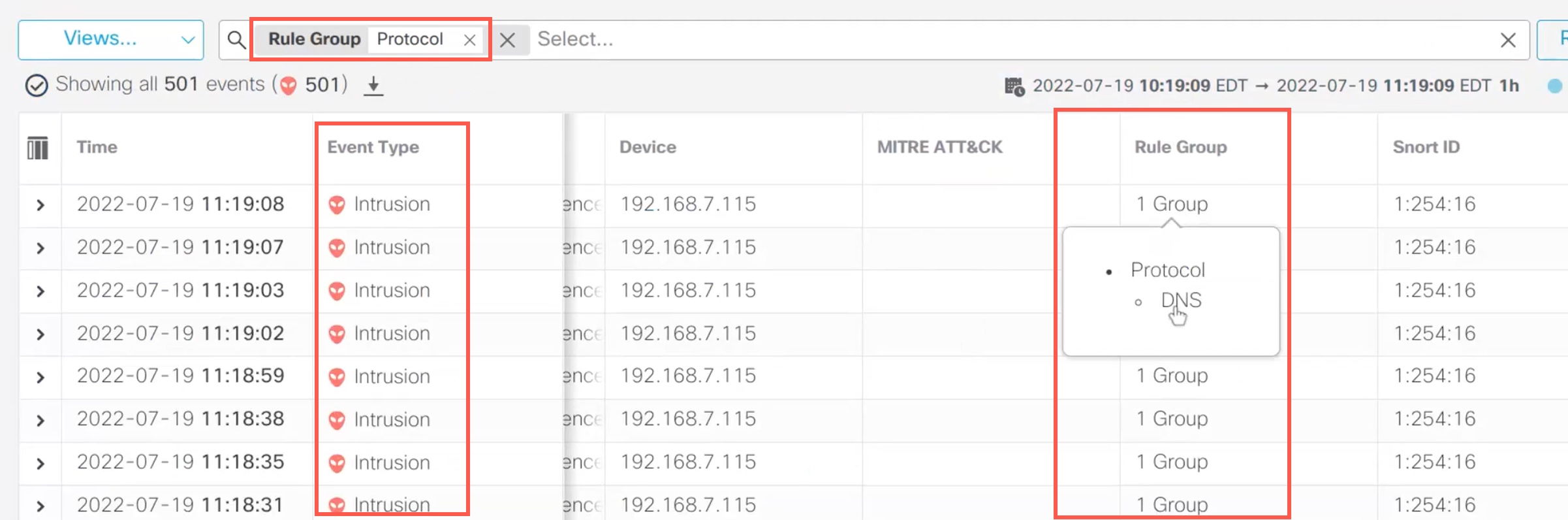
|