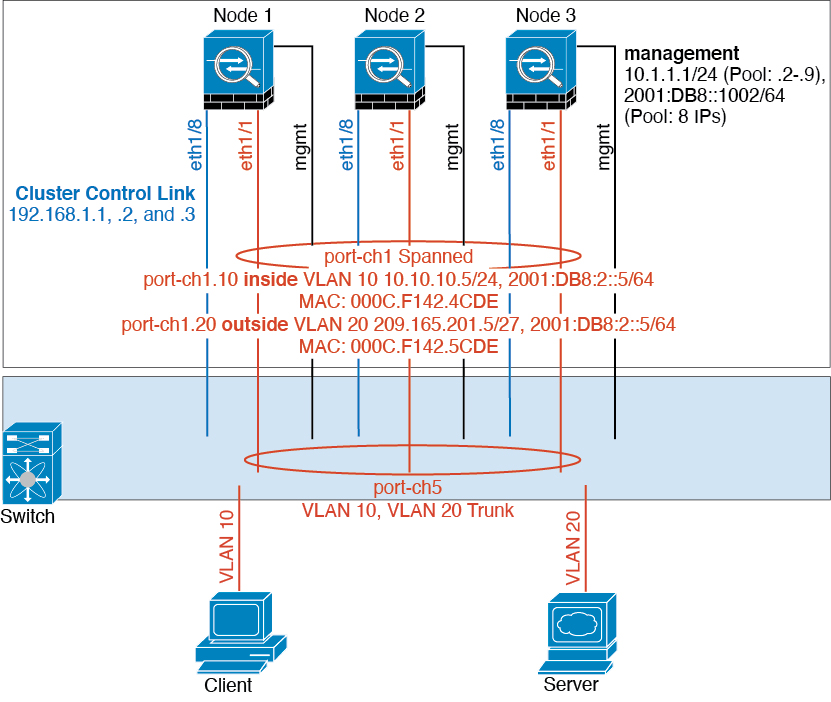
Firewall on a stick
Data traffic from different security domains are associated with different VLANs. For example, VLAN 10 for the inside network and VLAN 20 for the outside network. Each Threat Defense has a single physical port connected to the external switch or router. Trunking is enabled so that all packets on the physical link are 802.1q encapsulated. The Threat Defense is the firewall between VLAN 10 and VLAN 20.
When using Spanned EtherChannels, all data links are grouped into one EtherChannel on the switch side. If the Threat Defense becomes unavailable, the switch will rebalance traffic between the remaining units.