Edit applied policies
This task allows you to assign or modify policies for an individual firewall device, including access control policies and other security policies that govern device behavior.
The Applied Policies section of the Device page displays the following policies applied to your firewall:
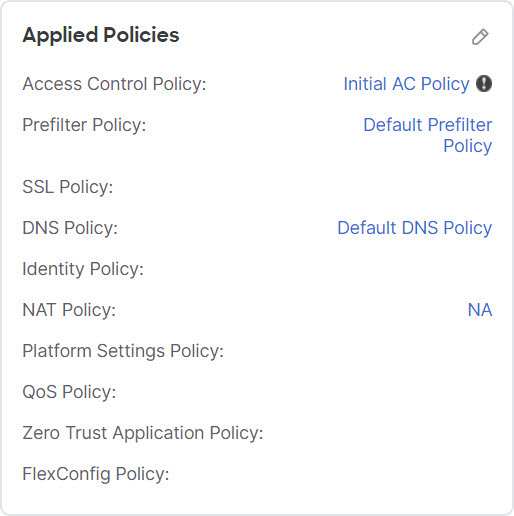
For policies with links, you can click the link to view the policy.
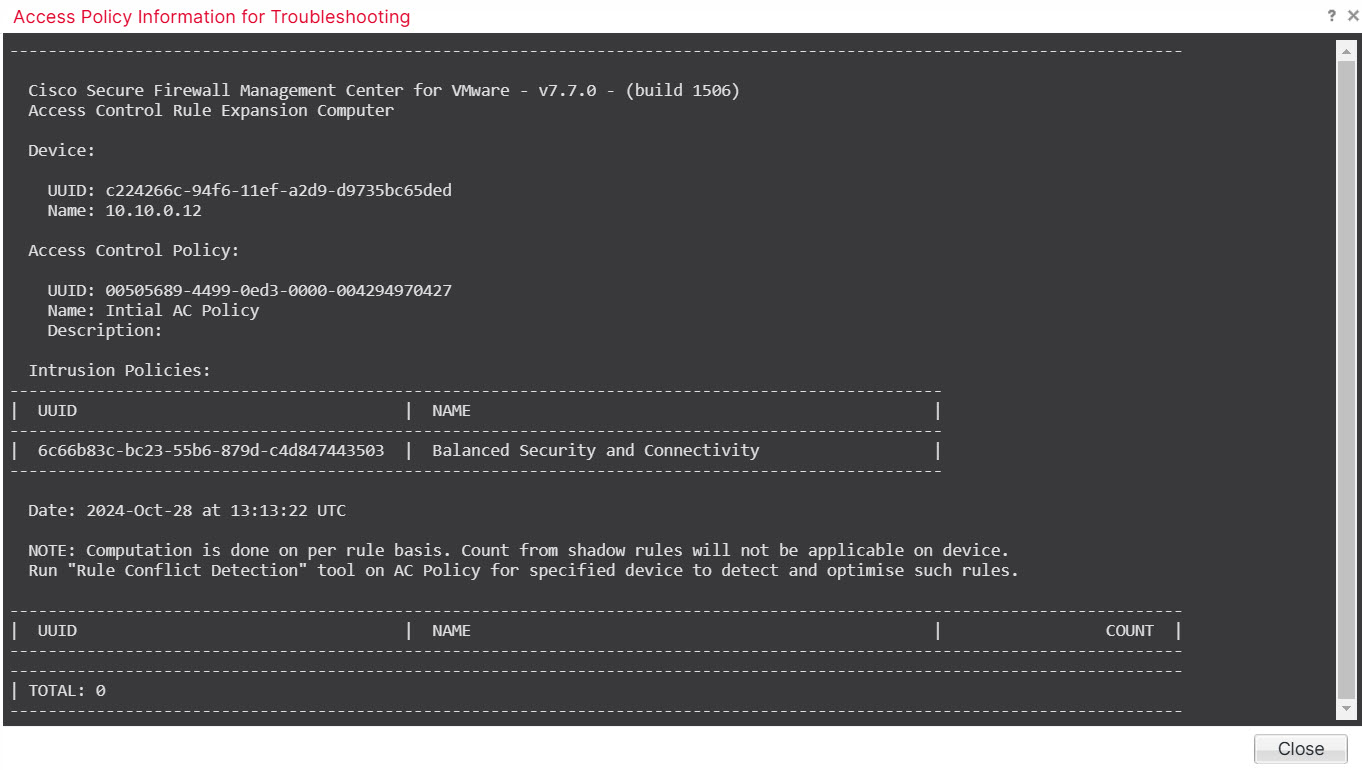
For the Access Control Policy, view the Access Policy Information for Troubleshooting dialog box by clicking the Exclamation ( ) icon. This dialog box shows how access rules are expanded into access control entries (ACEs).
Procedure
Step 1 | Choose . |
Step 2 | Next to the device where you want to assign policies, click Edit ( |
Step 3 | Click Device. |
Step 4 | In the Applied Policies section, click Edit ( 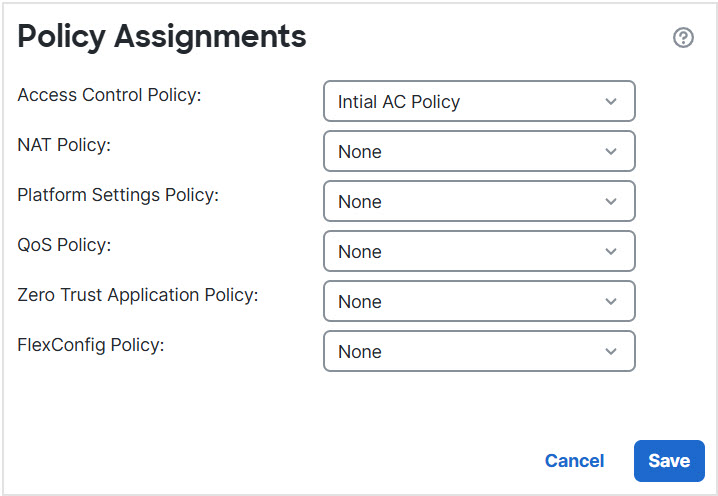
|
Step 5 | For each policy type, choose a policy from the drop-down menu. Only existing policies are listed. |
Step 6 | Click Save. |

What to do next
-
Deploy configuration changes.