Associate a policy group to Catalyst SD-WAN NGFW policy
Associate a policy group with a Catalyst SD-WAN NGFW policy to ensure consistent security enforcement across managed devices. Using Security Cloud Control Firewall Management, administrators can easily link policy groups to NGFW policies and deploy them, streamlining network security management and enhancing centralized policy deployment for WAN Branch Edge environments.
This section outlines the steps to associate a policy group with a Catalyst SD-WAN NGFW policy, enabling the policy to be deployed to devices managed by that group. This ensures consistent security enforcement across those devices. Once associated, you can deploy the policy group to activate the policy on the devices.
Procedure
Step 1 | Choose . |
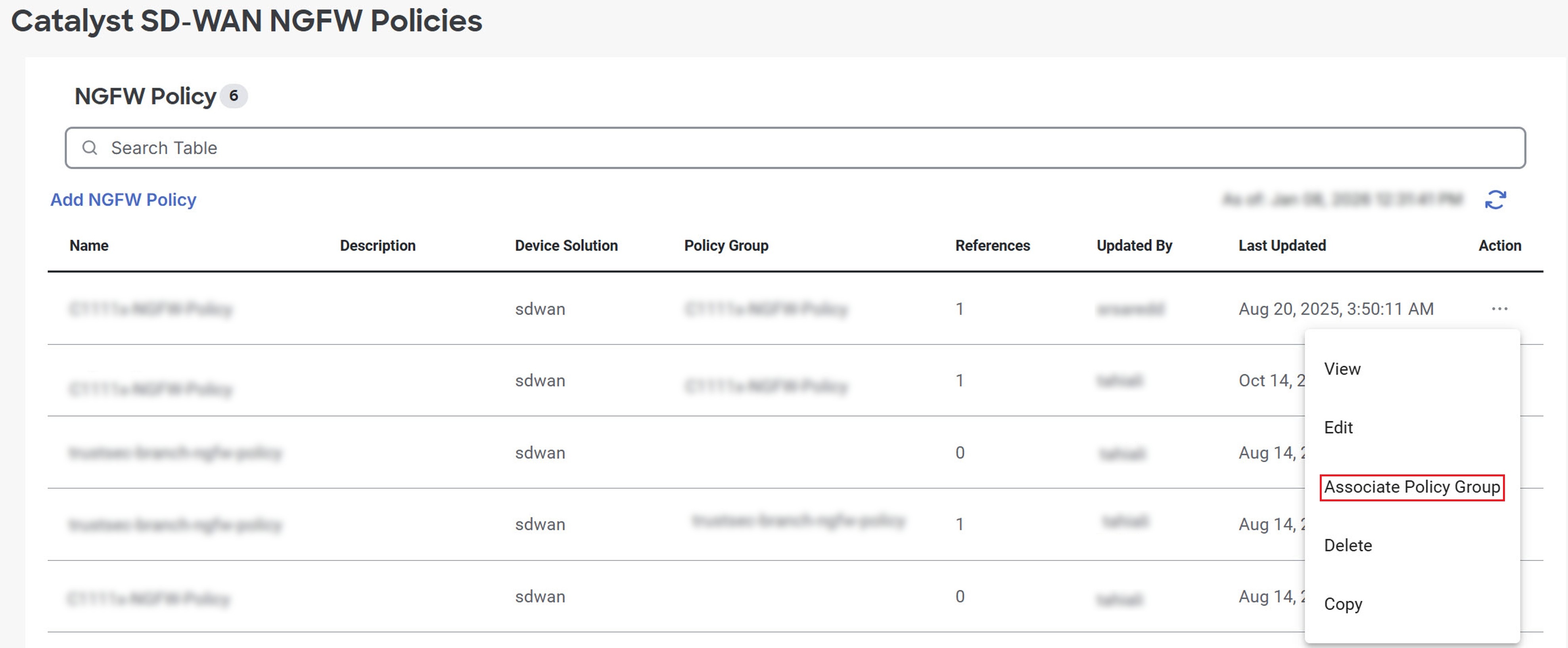
Step 2 | Navigate to the policy you want to associate with a policy group. Click the ellipsis (…) under the Action column, then select Associate Policy Group.
|
Step 3 | Select the policy and click Save. |
The policy group is now associated with the NGFW policy and can be deployed to activate the policy on the managed devices within that group.