Manage existing Catalyst SD-WAN NGFW security policies
Manage existing NGFW security policies by viewing, editing, associating policy groups, deleting, or copying them in Security Cloud Control Firewall Management.
You cannot delete a Next-Generation Firewall (NGFW) policy from Security Cloud Control Firewall Management if it is already associated with a policy group in Catalyst SD-WAN.
Procedure
Step 1 | Choose . |
Step 2 | Navigate to the policy and click the ellipsis (…) under the Action column. |
Step 3 | Click View, Edit, Associate Policy Group, Delete, or Copy.
|
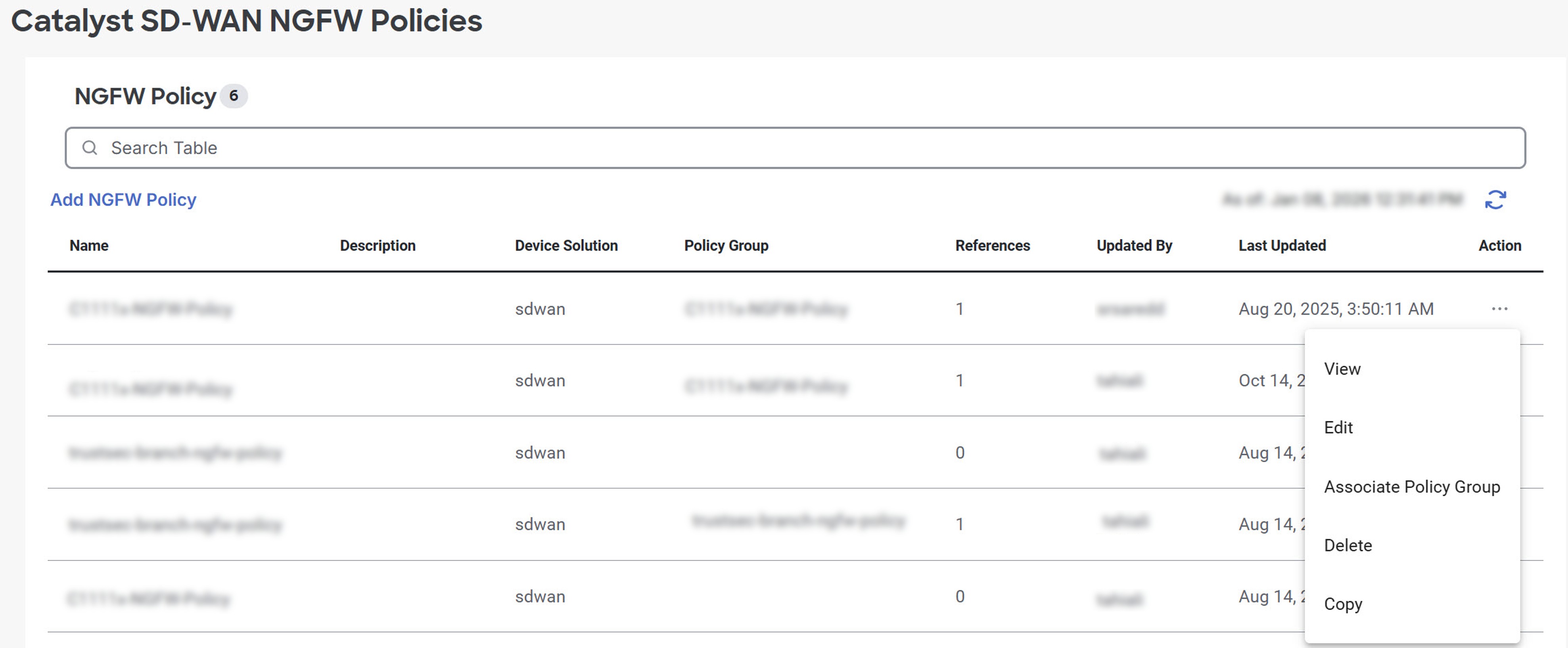
The selected action is performed on the NGFW policy. You can view policy details, edit configurations, associate the policy with a policy group, delete the policy (if not associated), or create a copy of the policy.