Delete Catalyst SD-WAN security objects
You can delete one or multiple Catalyst SD-WAN security objects.
-
If the security object was synchronized with Catalyst SD-WAN Manager, deleting it updates both Security Cloud Control Firewall Management and Catalyst SD-WAN Manager for consistency.
-
Security policies or configurations that reference the deleted object do not get deleted automatically. You must remove the references manually from the security policies before deleting the object.
-
Delete actions are logged for auditing and traceability.
Before you begin
Verify that the Catalyst SD-WAN security objects you want to delete are not used or referenced in other objects, policies, or configurations.
Procedure
Step 1 | Choose . |
Step 2 | Choose Objects. |
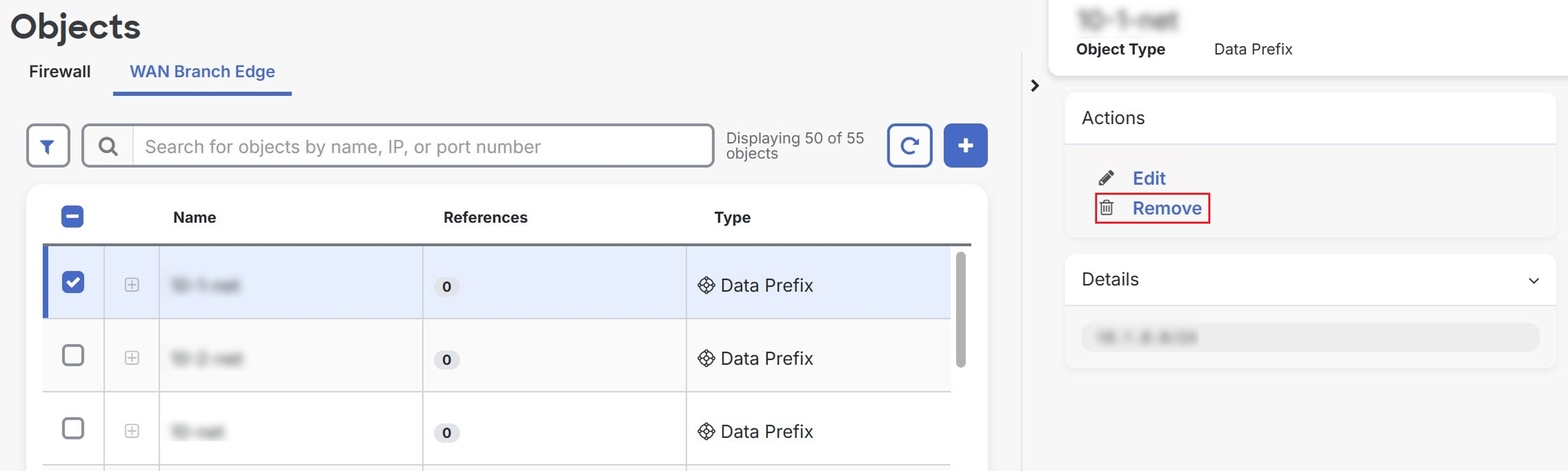
Step 3 | Click the WAN Branch Edge tab. |
Step 4 | Check one or multiple security objects you want to delete. |
Step 5 | In the Actions pane, click Remove.
|
Step 6 | Click OK to confirm. |
Selected Catalyst SD-WAN security objects are deleted. Delete actions are logged for audit purposes, ensuring traceability of changes.
To view the logs:
-
In the Security Cloud Control application, choose .
-
In the Catalyst SD-WAN Manager application, choose .